
Intermittent fasting is a simple eating pattern that alternates between a fasting window and an eating window. Many people like it because it’s easy to understand: you choose when you eat, not necessarily what you eat.
This Intermittent Fasting Calculator is designed to help you plan a daily fasting schedule based on your inputs. It can generate a suggested fasting window, an eating window, and a daily routine outline in seconds. The goal is to make planning easier—especially if you’re new to intermittent fasting or want a consistent schedule.
Important: This calculator is for informational and educational purposes only. It does not provide medical advice, diagnosis, or treatment. If you have any medical conditions or concerns, please consult a qualified healthcare professional.
What the Calculator Helps You Do
The calculator focuses on practical planning. After you enter your details, it can help you:
- Choose a fasting protocol (like 16:8, 18:6, or 20:4)
- Estimate a realistic fasting window based on your last meal time
- See an eating window you can follow consistently
- Build a simple daily routine you can repeat
Think of it as a planning tool—similar to a calendar reminder for your eating schedule.
Step 1: Enter Your Basic Details
In the “Your Details” section, you’ll see a few fields. These inputs help the calculator tailor the schedule:
Gender
This can affect general calorie and metabolic estimates in many standard formulas. Choose the option that best fits you.
Age
Age may influence estimated energy needs. Enter your age in years.
Height and Weight
These values are commonly used in general estimation formulas (for example, to estimate baseline calorie needs). Enter your height in centimeters (cm) and weight in kilograms (kg) as requested by the tool.
Activity Level
Select the option that best describes your typical week. This helps avoid unrealistic calorie estimates by aligning the plan with your lifestyle.
Step 2: Choose Your Goal (Optional Guidance)
Some calculators include a “Goal” selector such as:
- Maintain weight
- Mild fat loss
- More aggressive fat loss (not always recommended)
- Performance/energy focus
If your calculator shows a goal field, choose the one that fits your intention. This does not guarantee any result—it simply adjusts the plan logic to be more conservative or more structured.
If you are unsure, start with a conservative option like Maintain Weight or Mild Fat Loss.
Step 3: Select a Fasting Protocol
A fasting protocol tells the calculator how long your fasting window and eating window should be. Common options include:
16:8 (Popular)
- Fast for 16 hours
- Eat within an 8-hour window
This is usually the easiest option for beginners.
18:6
- Fast for 18 hours
- Eat within a 6-hour window
This can feel stricter but still manageable for some people.
20:4
- Fast for 20 hours
- Eat within a 4-hour window
This is more advanced and may not be a good fit for everyone.
OMAD (One Meal a Day)
Some people use a one-meal approach, but it can be challenging and may not suit many lifestyles.
Tip: If you’re new to fasting, start with 16:8 for a week or two. Consistency matters more than intensity.
Step 4: Set Your “Last Meal Time”
This is one of the most important inputs.
The calculator uses your last meal time as the starting point to count your fasting hours. For example:
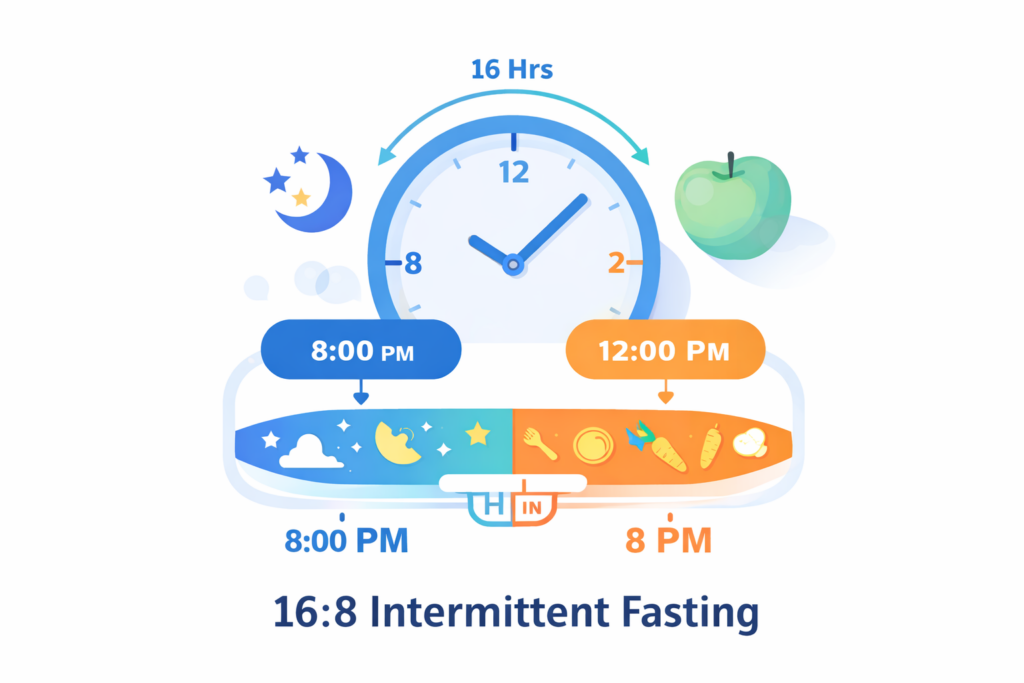
- If your last meal ended at 8:00 PM
- And you choose 16:8
- Your fasting window would typically end around 12:00 PM the next day
- Your eating window might be 12:00 PM–8:00 PM
If your day schedule is different (night shifts, unusual work hours), still enter your real last meal time. The calculator will generate a plan based on the timing you actually live.
Step 5: Click “Calculate Plan”
Once your details are entered, click the Calculate Plan button. You’ll usually see:
- Your fasting start time
- Your fasting end time
- Your eating window
- A simple recommended daily routine
If the plan feels unrealistic, adjust one variable at a time:
- Choose a less strict protocol (e.g., 16:8 instead of 20:4)
- Update your last meal time to match your normal routine
- Select a different activity level
Example: A Simple 16:8 Schedule
Here’s a beginner-friendly example many people can follow:
- Last meal: 8:30 PM
- Fasting: 8:30 PM → 12:30 PM
- Eating window: 12:30 PM → 8:30 PM
This approach often works because it fits naturally with skipping a late breakfast and eating lunch + dinner.
Tips for Better Results (Without Overcomplicating)
Intermittent fasting works best when it is simple and repeatable. A few practical tips:
- Start gradually. Don’t jump from regular eating to very long fasts overnight.
- Stay hydrated. Water is generally fine during fasting. Many people also drink plain tea or black coffee (without sugar or milk), but individual tolerance varies.
- Prioritize consistency. A plan you can follow 5–6 days per week is more useful than an extreme plan you quit after 3 days.
- Avoid “all-or-nothing” thinking. If one day is off schedule, restart the next day.
Who Should Be Extra Careful
Intermittent fasting is not suitable for everyone. You should be especially cautious (or seek professional guidance) if you:
- Are pregnant or breastfeeding
- Have diabetes or blood sugar regulation concerns
- Have a history of eating disorders
- Are underweight or currently recovering from illness
- Are taking medications that require food timing
When in doubt, talk to a healthcare professional before making major diet changes.
Frequently Asked Questions
Does the calculator guarantee weight loss?
No. This tool only helps plan a schedule. Results depend on many factors, including diet quality, sleep, stress, and overall calorie intake.
Can I change my fasting window later?
Yes. Many people adjust over time. Start with something easy and modify based on comfort and lifestyle.
What if I work night shifts?
You can still use the calculator. Enter your real last meal time and choose a protocol that fits your working hours.
Final Reminder
This intermittent fasting calculator is meant to help you plan a fasting schedule quickly and consistently. It is not a medical tool and should not replace professional advice.
If you have health conditions or concerns, consult a qualified healthcare provider before starting intermittent fasting or making significant dietary changes.


